Links & relationships
Isolated facts are hard to remember; connected ones stick. Lexicon lets you link items with typed relationships, turning a flat dictionary into a concept graph.
Links tab — outgoing relationships
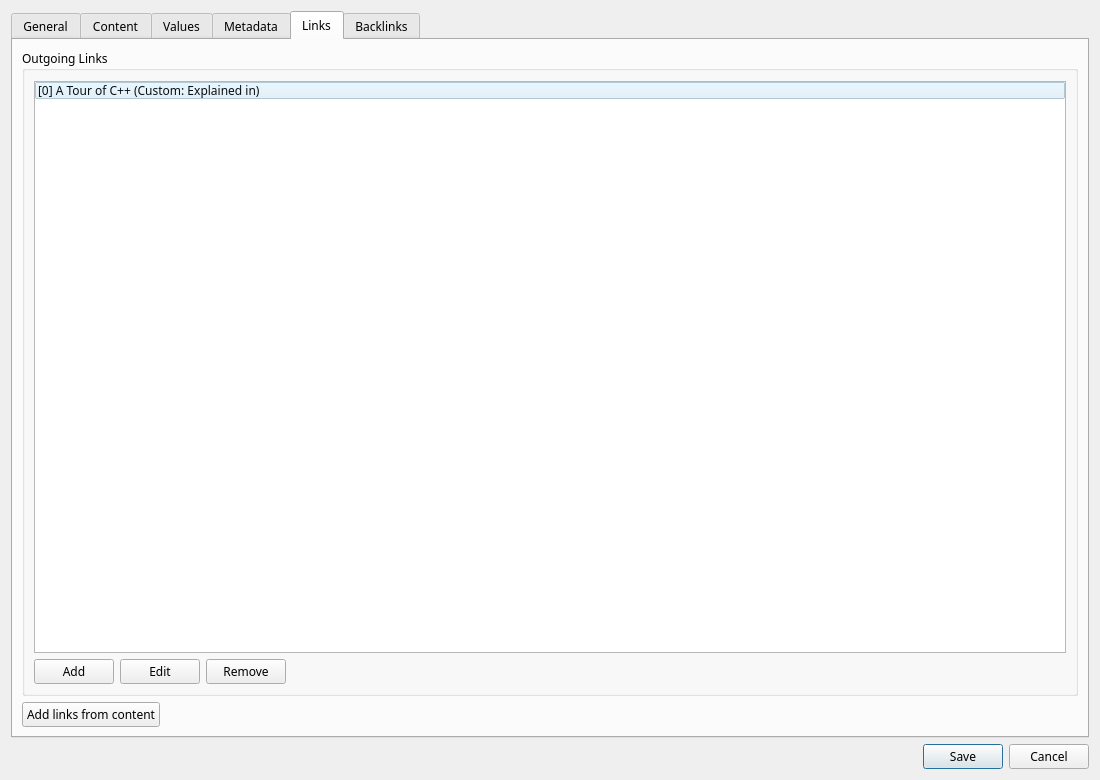
In the item editor, open the Links tab to create relationships from the current item to any other item in your lexicon:
- Click Add.
- Pick the target item.
- Choose the relation type (see the table below).
- Save — the reverse direction automatically appears in the target's Backlinks.
Backlinks tab — incoming relationships
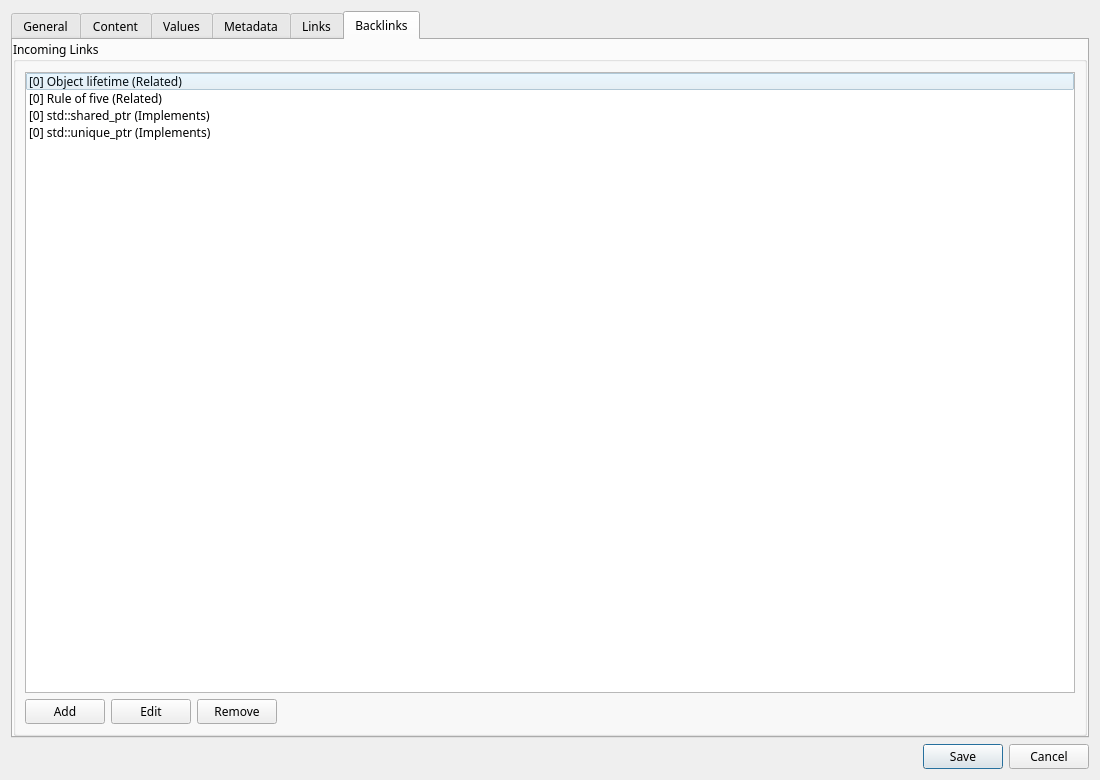
The Backlinks tab shows — and lets you create — relationships pointing to the current item from a source item. This is handy when you're working on a hub concept and want to attach many children to it without opening each child separately.
Relation types
Choosing the right type makes the graph meaningful. Lexicon offers ten:
| Type | Meaning | Example |
|---|---|---|
| Is A | Taxonomy — the source is a kind of the target. | std::vector is a container |
| Part Of | Composition — the source is a component of the target. | B-tree node part of B-tree |
| Uses | The source makes use of the target. | quicksort uses partitioning |
| Depends On | The source requires the target to work or make sense. | TLS depends on X.509 certificates |
| Implements | The source realizes the target interface or concept. | std::map implements ordered associative container |
| Related | General association worth remembering. | coroutines related to generators |
| Contrasts | Concepts best understood by comparing them. | TCP contrasts with UDP |
| Alternative To | Interchangeable solutions to the same problem. | CMake alternative to Meson |
| Parent Of | Explicit downward hierarchy link. | container parent of sequence container |
| Custom | A relationship named by you; the Custom Value must not be empty. | book Written By author |
Don't overthink it When no specific type fits, Related is perfectly fine. A rough link now beats a perfect link never — you can retype it any time.
Wiki links in the content
Links do not have to be made in a dialog. Write [[Title]] anywhere in an item's Markdown content and it becomes a link to that item:
[[Move semantics]]— by title.[[Monoid [algebra]]]— the item with that disambiguation.[[Monoid|monoids]]— the link shows your own text.
A title is matched exactly first, then ignoring ASCII case, then as an alias, so [[forwarding reference]] finds universal reference when that is one of its aliases. Code spans and code blocks keep their brackets.
In the rendered content a wiki link opens its item; when no item has that title, Lexicon offers to create it on the spot. On the Links tab, Add links from content turns every name the content mentions into a Related link and lists the names that have no item yet. The web client and the Android app do the same.
Reading in context
The graph pays off while browsing: select any item in the main table and the lower pane shows its rendered content followed by a links and backlinks summary. You see a concept's neighborhood at a glance, without opening the editor.
The relationship graph
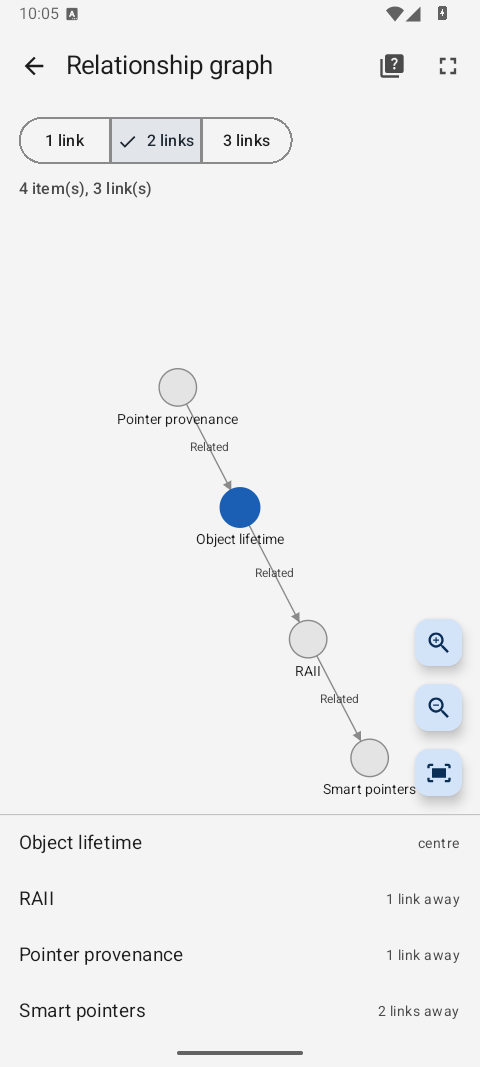
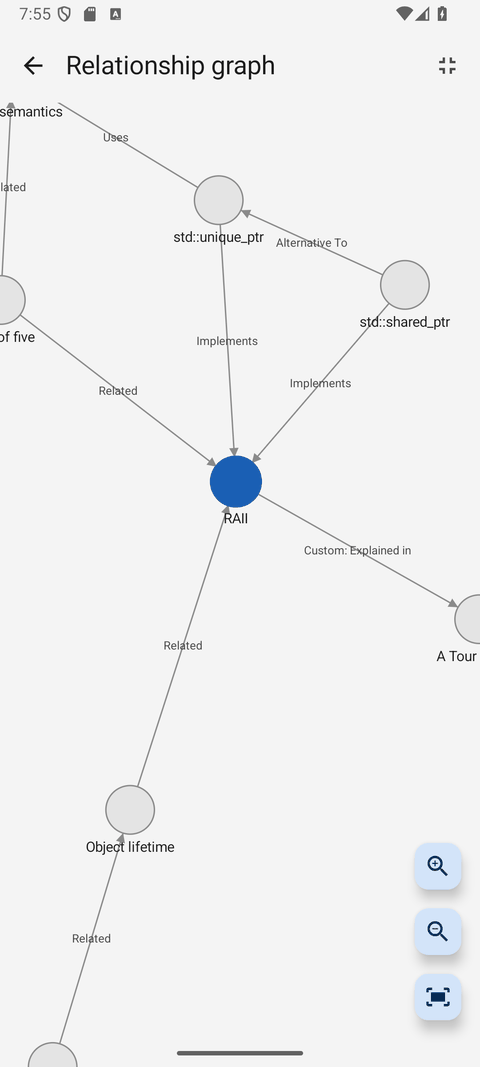
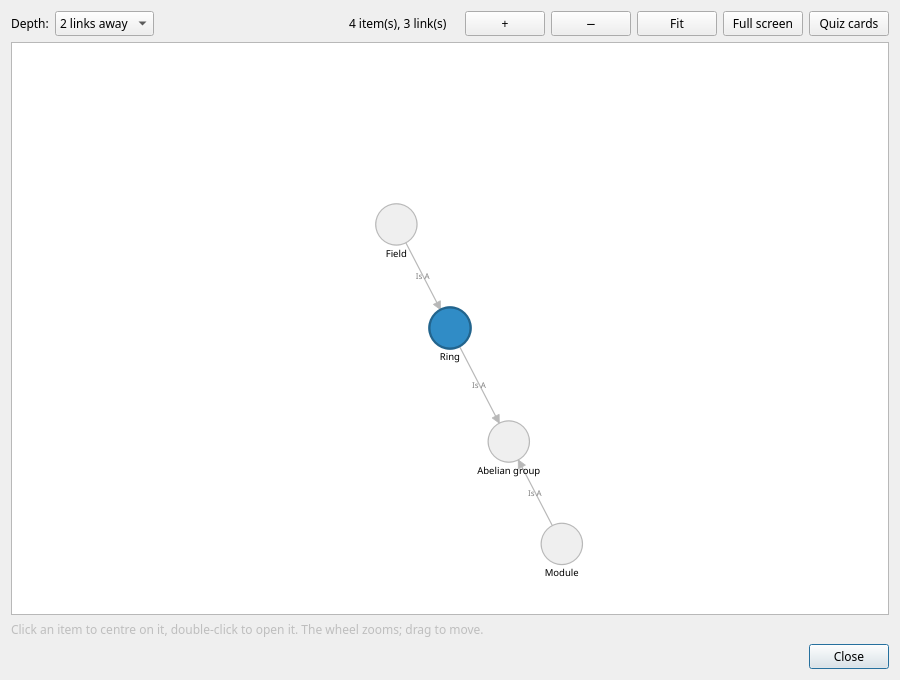
View → Relationship graph... (Ctrl+G) draws the neighbourhood of the selected item: it sits in the middle, the items it links to and the items linking to it around it, as arrows labelled with the link type.
| Control | What it does |
|---|---|
Depth | One, two or three links away. At most 150 items are drawn; the dialog says when more are in reach. |
| Click an item | Centres the graph on it. |
Double click (or Enter) | Opens the item. |
+ / − / Fit | Zoom in, zoom out, and back to the whole graph. The wheel zooms too, and dragging the background moves the view. |
| Full screen | Gives the graph the whole window; Esc leaves it again. |
| Quiz cards | Starts a card quiz over the graph's centre and every item shown at its current depth. |
The web client opens the same graph from its View menu and from the link preview under an item. On Android, open it from the item page's menu; tap a node or a row below the graph, then tap Centre here to redraw around it. A pinch zooms the Android graph.